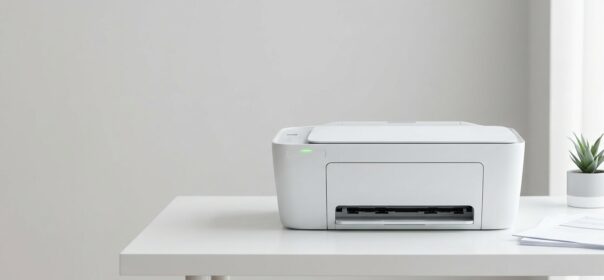
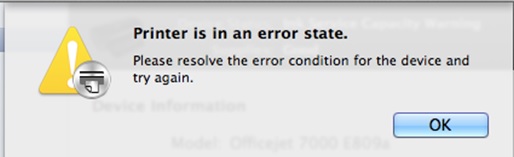
You keep getting a printer error state message but have no idea how to fix it? Read my easy to follow tips and your printer will be working again in no time. I will be covering the most common printer error problems and how to fix them. For some specific, more in depth, analyses of your error you can always consult your printer manufacturers website.
Under usage/Poor printing quality
Very common printer error. This has to do with clogged printing heads/nozzles. Printing heads are a part of your cartridges. When you aren’t printing on a regular base the ink will dry out. Dried ink can’t be used anymore and has to be replaced with new ink. Basically you have 2 options to solve this. In the first place you can buy a new cartridge and replace it with the old one. Secondly you could get a cleaning kit and clean the printing head yourself.
Latest Drivers
Printers and all other kinds of hardware need the right software to keep running. When your computer isn’t set to automatically check for the latest drivers you will have to go the manufacturer’s website and download it. If you aren’t sure about what driver to install, look on the back of your printer for a sticker. There you will find the correct product code.
 Running out of ink (or not?)
Your printer can be running out of ink without telling you specifically. Or even worse, your printer can tell you it’s running out of ink even though it’s not. Very little you can do to fix this since it greatly depends on your printer model. You could however remove the cartridge and look if its empty. If it’s not, replace it and try printing again. If that doesn’t work you will have to buy a new cartridge. Don’t just instantly buy the same cartridge you had before! Changing to a better, more compatible cartridge could improve your print quality.
Paper getting stuck
Check your printer for hoods that can be opened or removed. Paper can get shredded into small pieces during the printing process and those pieces can obstruct the printer gear. Make sure to remove all pieces at once. Get a flashlight to help search every part of your printer. Remove the remaining paper out of the tray and replace it with new paper. Old paper can get moist and won’t print.
Blank sheets
Although this won’t show you an explicit printer error, it can be annoying to deal with. Luckily it’s easy to solve. You just need to adjust some printer settings. Go to your printer properties, accessed from the devices and printers screen in the control panel. Select the advanced tab in the printer properties screen and select separator page. Turn it off or leave it blank to prevent your printer from printing a blank sheet after every print job.
Old cables
Old cables can cause your printer to show you an error state message. Control every cable if its plugged in well and if this could be the cause of the error. You can also try the cables with other printers and computers and see if it works. Doing this you can also find out if the error is coming from your printer or computer, so you can locate the problem better.
If you have any feedback or experiences with printer errors, I would love to hear them. Simply drop a comment below and I will get back to you.
Vincent
Best Printers in 2026 — Our Top Recommendations
Looking for a reliable printer in 2026? Here are three of our top-rated picks across different categories, offering excellent value, reliable wireless connectivity, and low running costs.
1. Epson EcoTank ET-4850 — Best Overall All-in-One
The ET-4850 is our top overall recommendation for home and home-office users. The supertank ink system delivers thousands of pages before needing a refill, virtually eliminating cartridge waste and keeping running costs incredibly low. It features solid print speeds, an automatic document feeder, and a surprisingly compact footprint for a full-featured all-in-one.
→ Check the Epson EcoTank ET-4850 price on Amazon
2. Brother HL-L2350DW — Best Budget Laser Printer
If you print mostly text documents and want a reliable workhorse that won’t let you down, the Brother HL-L2350DW is a classic choice. This monochrome laser printer is fast, reliable, and incredibly easy to set up. Its high-capacity replacement toner cartridges keep print-per-page costs minimal, making it perfect for students and professionals alike who need volume printing without the high operating expense.
→ Check the Brother HL-L2350DW price on Amazon
3. HP OfficeJet Pro 9015e — Best Wireless All-in-One
The HP OfficeJet Pro 9015e is a feature-packed all-in-one with strong wireless support, making it ideal for multi-device households. It offers fast printing, automatic two-sided scanning, and seamless integration with the HP Smart app. It’s also Instant Ink eligible, which can help keep running costs predictable. A great choice for busy home offices.
→ Check the HP OfficeJet Pro 9015e price on Amazon
Share This:


 depot printer cartridges we better think twice before making a purchase. I’m just going to jump right into things and lay out all tips that come to mind when purchasing a cartridge.






 Conclusion
